How to Remove a Watermark From a Photo for Free (No Photoshop Needed)
There are a handful of genuinely common reasons to need a watermark off a photo: an old agency logo sitting on a listing photo you're reusing, a stock image watermark left over from a preview, or your own brand mark on a photo you now need clean for a different use. Whatever the reason, there are real ways to do this — some take real skill and time, one takes under a minute and no software. Here's an honest comparison of what actually works, and one thing worth knowing before you remove a watermark that isn't yours.
Key takeaways
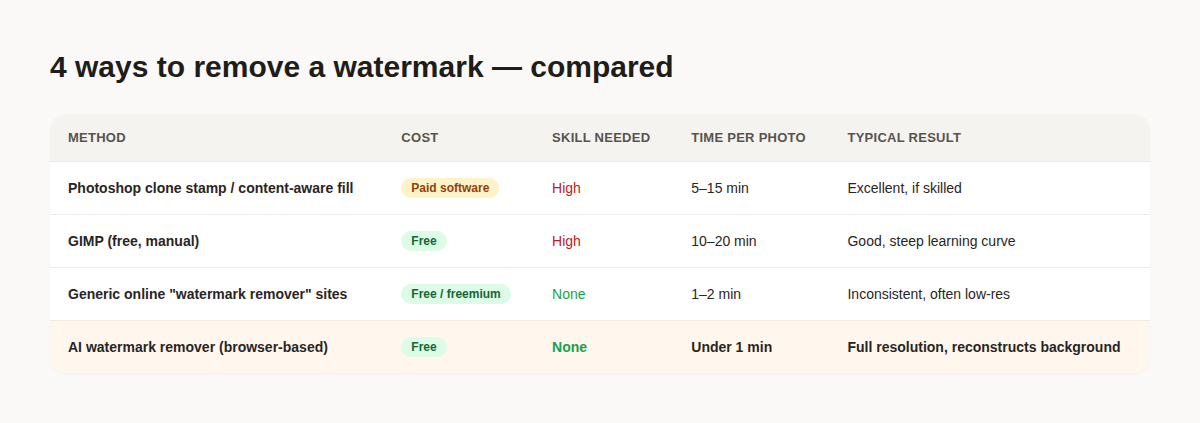
- Photoshop's clone stamp and content-aware fill still produce the most controllable results, but take real skill and 5–15 minutes per photo
- Free manual tools like GIMP can do the same thing, with an even steeper learning curve
- Generic online "watermark remover" sites are fast but inconsistent — results vary wildly and many compress or downscale the output
- A browser-based AI watermark remover gets a clean result in under a minute, at full resolution, with no software or skill required
- Only remove a watermark from a photo you own or have the rights to use — removing one from a photo you don't have rights to can infringe the copyright or license it was placed under
1. Photoshop: clone stamp and content-aware fill
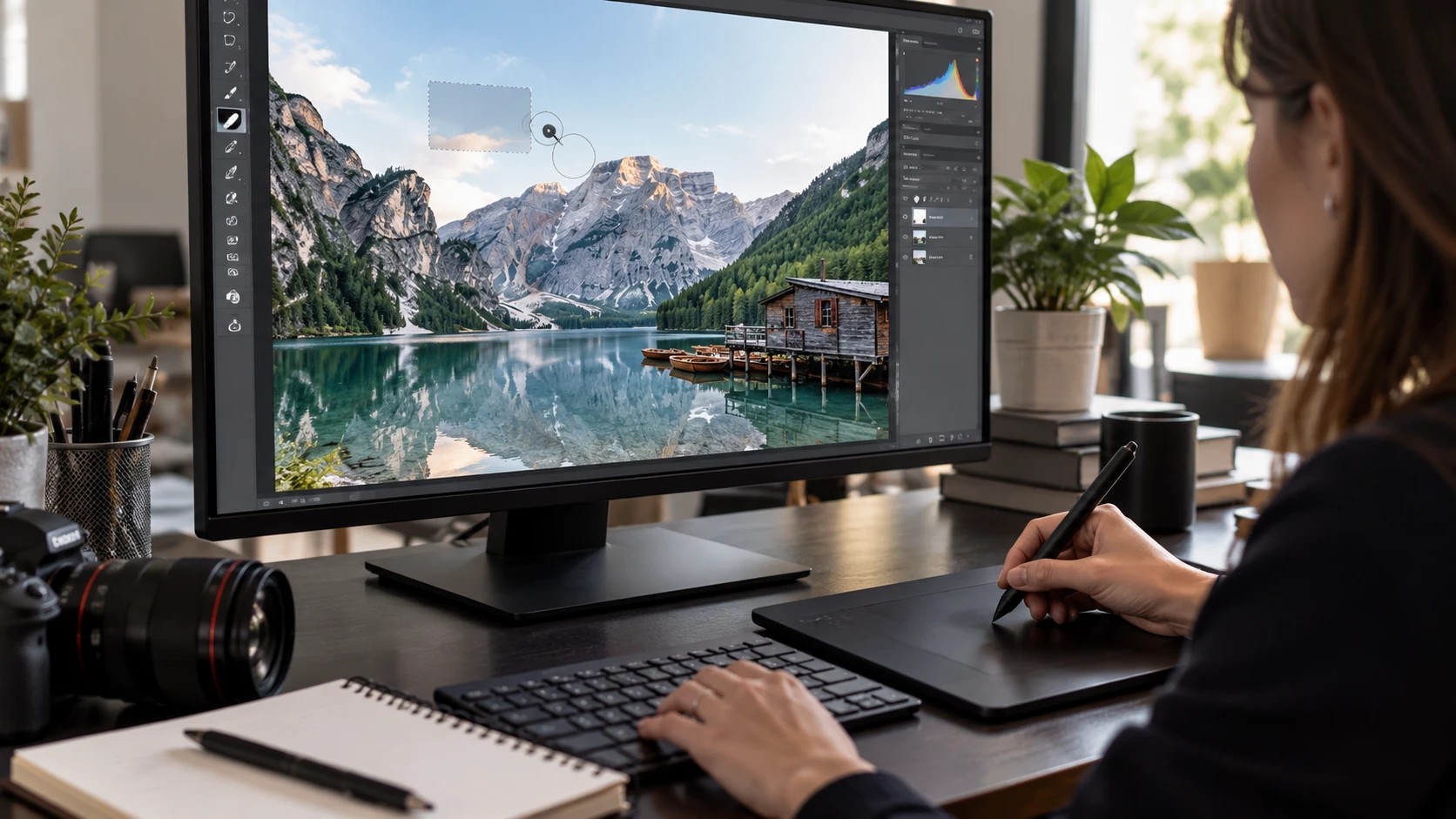
This is still the most controllable method if you already know Photoshop. The clone stamp tool lets you sample a clean area of the image and paint it over the watermark by hand; content-aware fill goes further, analyzing the surrounding pixels and generating a fill automatically when you select the watermarked area. On a simple background — a plain sky, a flat wall — content-aware fill can produce a near-perfect result in seconds. On a busy background with lots of detail behind the watermark, it struggles, and getting a clean result takes manual touch-up with the clone stamp, which is where the real time goes: typically 5 to 15 minutes per photo for someone experienced, longer for a beginner.
2. GIMP: the free, manual alternative
GIMP is free, open-source image editing software with tools roughly equivalent to Photoshop's — a clone tool and a resynthesizer-style fill plugin can achieve similar results at zero software cost. The trade-off is the learning curve: GIMP's interface is less intuitive than Photoshop's for people coming from neither tool, and getting a genuinely clean result on anything but a simple background still requires the same kind of manual patience content-aware fill needs in Photoshop.
3. Generic online "watermark remover" tools
Searching for a free watermark remover turns up dozens of browser-based sites that promise a one-click fix. Results vary a lot between them — some do a genuinely decent job on simple watermarks, others leave visible smudging or blur where the watermark was, and a fair number quietly downscale or compress the image on output, so you get a watermark-free photo that's also noticeably lower quality than what you uploaded. Worth checking the output resolution before relying on one of these for anything you'll actually publish.
4. A free AI watermark remover (the fast option)
This is the newest category, and it closes the gap the other three methods leave: AI models trained specifically to detect a watermark or logo overlay and reconstruct what was behind it, without needing you to manually select or paint anything. Upload the photo, the tool finds the watermark and removes it automatically, and you get back a full-resolution result in under a minute — no software, no clone stamp skills, no guessing whether the output got compressed. Our own free watermark remover works exactly this way: up to 3 photos at a time, up to 25 free uses a day, no email or account needed, and nothing else about the photo is touched — no enhancement, no resizing, no watermark added back.
When you shouldn't remove a watermark
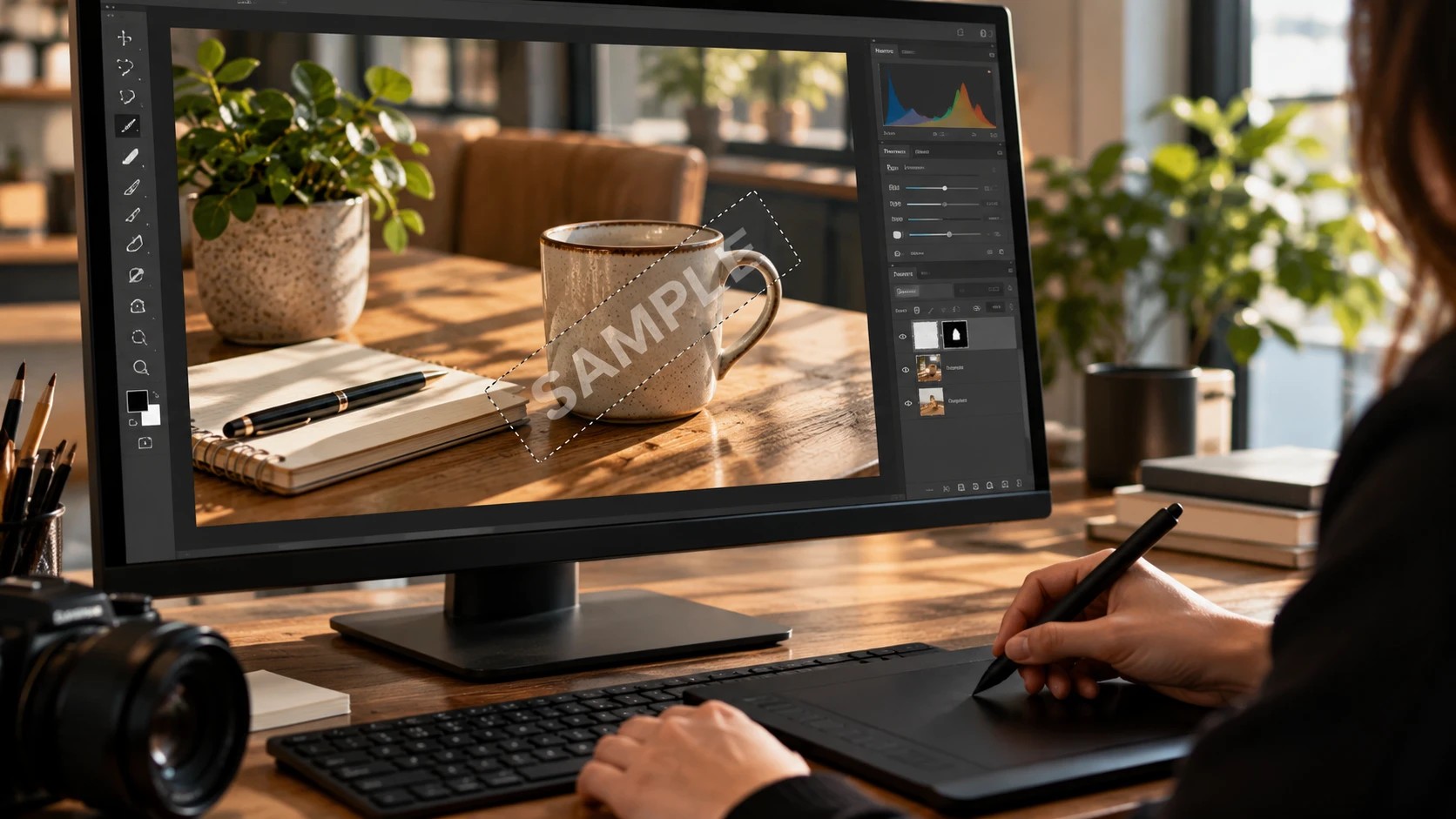
This matters enough to say plainly: only remove a watermark from a photo you own or otherwise have the legal right to edit. A watermark usually exists specifically to protect someone's copyright or mark their ownership of an image — removing it from a stock photo you haven't licensed, a competitor's listing photo, or any image you found online without permission can constitute copyright infringement, regardless of how easy the tool makes it technically. The common, legitimate cases are removing your own old branding, cleaning up a photo you have explicit rights to use, or removing a watermark from a photo you personally shot. If you're not sure you have the rights to a photo, that's a sign to not use this on it.
This same principle extends to listing photos specifically — see our breakdown of where photo editing crosses into misrepresentation for the wider version of this question, since removing a watermark is routine cleanup but altering what a property actually looks like is a different category entirely.
Is it legal to remove a watermark from a photo?
It depends entirely on whether you have the rights to the photo. Removing a watermark from your own photo, or one you've licensed or have explicit permission to edit, is fine. Removing one from a photo you don't own or haven't licensed can infringe the copyright the watermark was placed to protect, regardless of the tool used.
Will removing a watermark lower the photo's quality?
It depends on the method. Photoshop, GIMP, and a well-built AI tool can preserve full resolution. Many generic free online tools quietly compress or downscale the image as part of the process — check the output file's actual dimensions if quality matters.
Does an AI watermark remover work on any watermark?
It works best on watermarks and logos that overlay the image as a distinct element — text stamps, logo badges, semi-transparent brand marks. Results are generally weaker on watermarks that are deeply blended or cover a very large portion of the frame, since there's less of the original image left for the model to reconstruct from.
Is there a faster way than Photoshop if I don't want to use an online tool?
GIMP is the free offline alternative with similar manual tools, but it has the same time cost as Photoshop — the speed advantage specifically belongs to AI-based tools that automate the detection and reconstruction step.
Try the free AI watermark remover — up to 25 uses a day, no account needed, full resolution out.
Related reading


Try LiftMyPhotos on your next listing
3 free enhancements on signup. No credit card required.