Property Finder Photo Requirements: What Actually Gets Your Listing Penalized
Your listing is live, the price is right, the unit is good — and it's still not getting views. Before touching the price, check the photos. Property Finder's own guidelines are specific about what counts as an acceptable photo set, and they state plainly that non-compliant listings can have their quality score reduced, or be removed outright. Here's exactly what the rules say, fact-checked against Property Finder's published Help Center guidance, not guessed.
Key takeaways
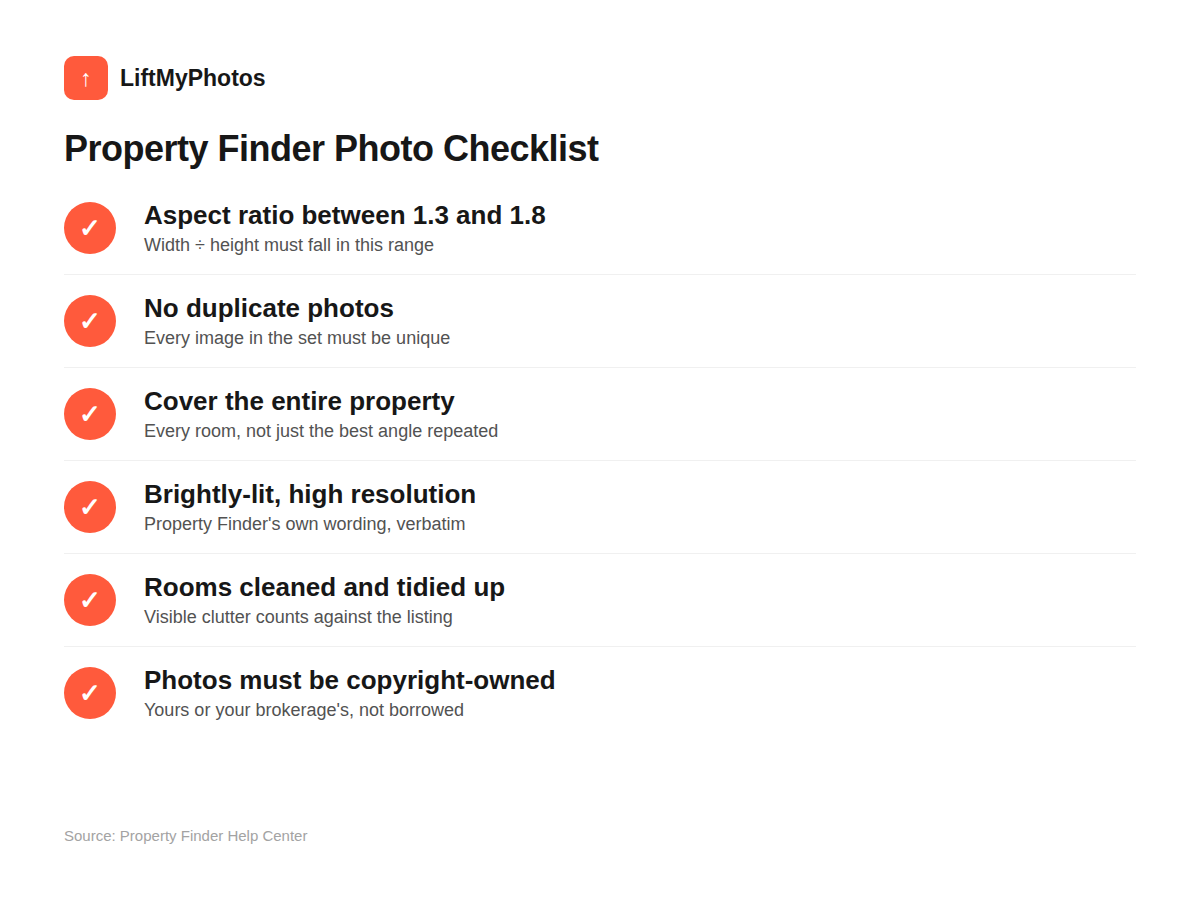
- Every photo's aspect ratio (width ÷ height) must fall between 1.3 and 1.8 — most normal phone photos already qualify
- No duplicate photos, and the set must cover the entire property, not one favorite room shot five ways
- Property Finder's own wording: images must be "brightly-lit, high resolution," with rooms "cleaned and tidied up"
- Photos must be copyright-owned by you or your brokerage; off-plan developer renders are accepted if diverse
- Non-compliance has a real consequence: a reduced quality score, or listing removal
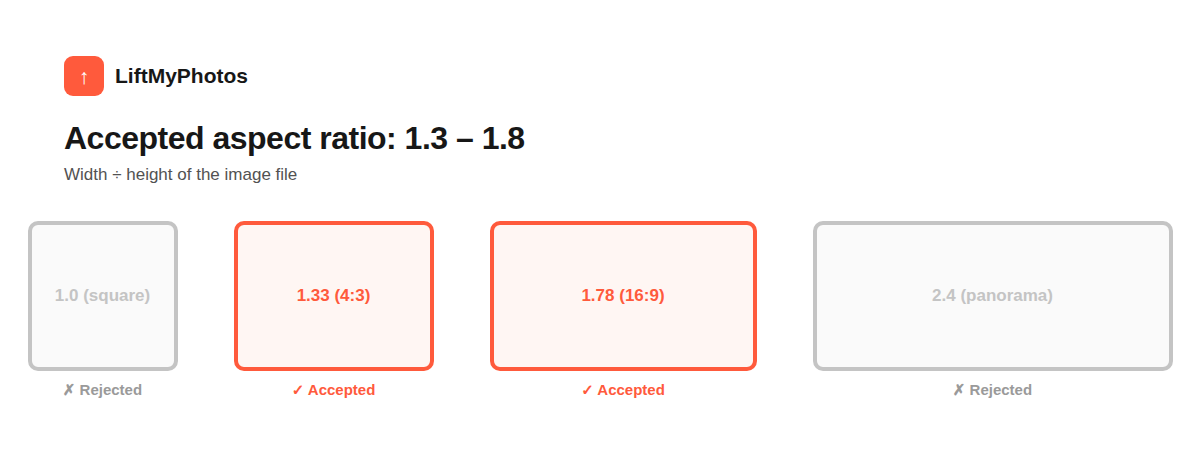
Aspect ratio: 1.3 to 1.8
Property Finder requires every image's aspect ratio (width divided by height) to fall between 1.3 and 1.8. Most phone photos shot normally land close to this already — a typical 4:3 photo is 1.33, 16:9 is 1.78 — but a photo that's been awkwardly cropped, rotated, or pulled from a screenshot can easily fall outside that range and get flagged. Our free photo resizer can fix this in seconds — set a custom ratio or pick a preset and it crops to the exact dimensions.
No duplicates, and the set must cover the whole property
Property Finder doesn't allow duplicate photos in a listing, and the photo set has to represent the entire property — not just the best-looking room shot five different angles. A minimum photo count isn't published publicly, but the principle is clear: show every room, not a highlight reel of one angle.
"Brightly-lit, high resolution" and "cleaned and tidied up"
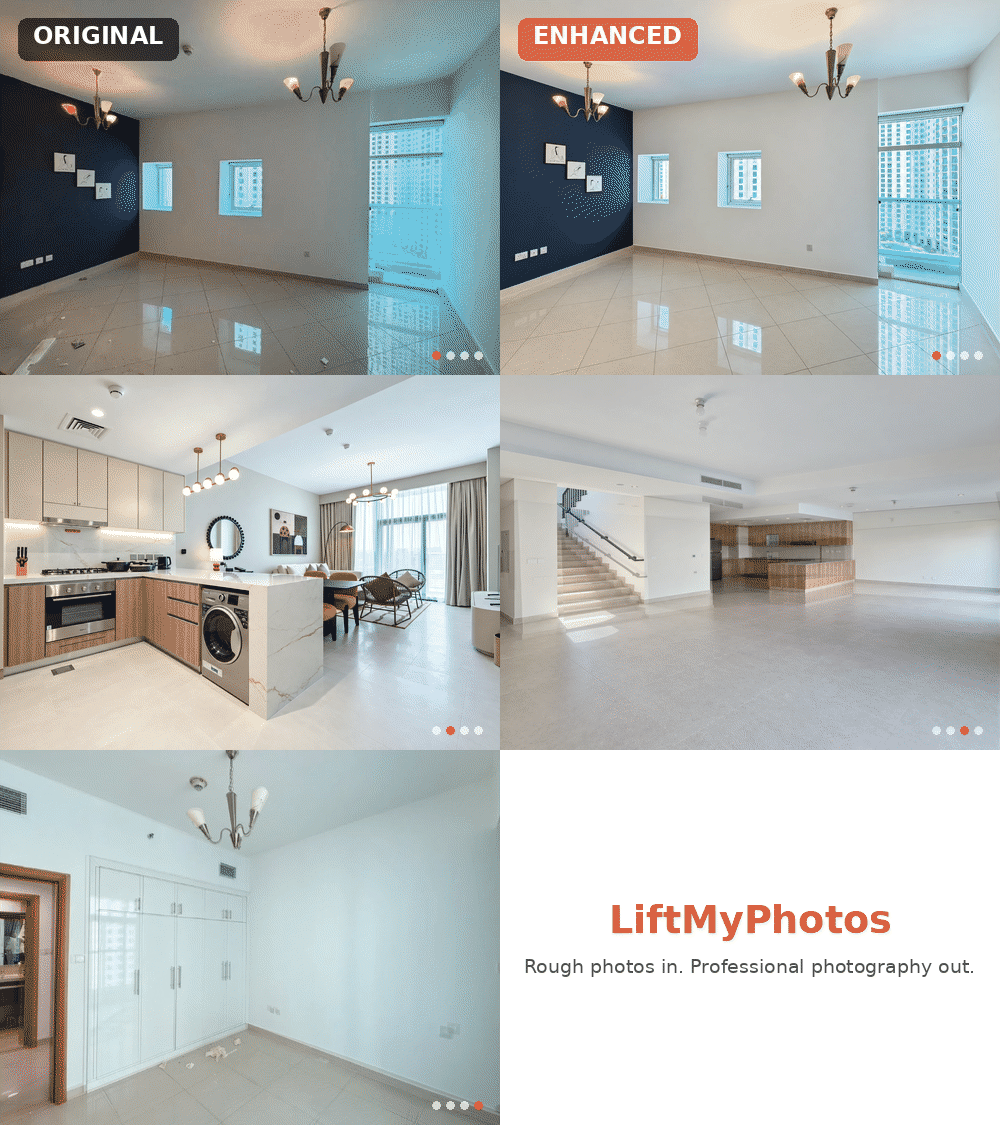
This is the line in Property Finder's own guidance that matters most for anyone shooting listings on a phone: images should be brightly-lit, high resolution, and show interior rooms that look cleaned and tidied up. A dim, slightly crooked phone photo with a bit of clutter in frame checks none of those boxes — and that's exactly the gap between a rough phone photo and a listing-ready one.
- Exposure that's too dark or blown out in the windows
- Visible clutter — bags, cables, personal items left in frame
- Lens distortion making rooms look warped or walls look crooked
Not sure if a specific photo actually has one of these problems? Run it through our free photo quality checker first — it flags blur, bad exposure, and low resolution in your browser before you waste time uploading it.
This is precisely what LiftMyPhotos fixes automatically: exposure correction, perspective/distortion correction, and clutter removal, without changing the actual room, furniture, or camera angle. Upload the raw phone photo, get back a brightly-lit, cleaned-up version of the same property — the two things Property Finder's own guidelines call out directly. If the shot itself needs work before any of that, see our common phone photography mistakes guide for the free fixes that happen before editing.
Copyright and off-plan renders
Photos must be free of copyright claims — meaning you (or your brokerage) need to actually own the rights to the images used, not pull photos from another listing or a developer's marketing site without permission. For off-plan properties, developer-rendered images are accepted, but Property Finder still expects a diverse set rather than the same two renders reused everywhere.
The full checklist at a glance
The actual consequence of ignoring this
Property Finder states plainly that listings not meeting these standards can have their quality score reduced, or be removed from the platform. A lower quality score isn't just a cosmetic flag — it affects how visible your listing is in search and recommendations. Fixing photo quality isn't just about looking more professional; it directly affects how many people see the listing at all.
If you're shooting listings on your phone and don't have time to wait on a photographer for every one, running the photos through LiftMyPhotos before upload is a fast way to meet Property Finder's own stated bar — try it free, no credit card required.
How many photos does Property Finder require per listing?
Property Finder's published guidance doesn't state an exact minimum photo count — it only requires that the set represents the entire property without duplicates. As a practical baseline, cover every room plus any exterior/amenity space relevant to the listing.
Can I use AI-enhanced photos on Property Finder?
Property Finder's guidelines focus on the result — aspect ratio, brightness, resolution, cleanliness, and copyright ownership — not on what tool was used to achieve it. AI photo enhancement that corrects exposure, perspective, and clutter on a real photo of the real property (without inventing rooms, furniture, or views that don't exist) is editing the photograph, not fabricating the property — the same category as traditional photo retouching. See our breakdown of where editing crosses into misrepresentation for the full line.
What image file size or resolution does Property Finder require?
An exact pixel-resolution or file-size minimum isn't stated in Property Finder's public Help Center guidance — only that images must be "high resolution." When in doubt, upload the largest/highest-quality version of a photo you have rather than a pre-compressed one.
Does Property Finder actually reduce a listing's visibility for bad photos?
Yes — Property Finder's own guidance states that listings not meeting its photo standards can have their quality score reduced, or be removed from the platform, which directly affects how often the listing surfaces in search and recommendations.
Can I reuse the same photos across multiple listings?
Only if it's genuinely the same unit — Property Finder's no-duplicates rule applies within a listing's own photo set, and reusing unrelated property photos across different listings risks both the duplicate-content rule and the copyright-ownership requirement.
Related reading


Try LiftMyPhotos on your next listing
3 free enhancements on signup. No credit card required.